


|
Name |
Zapya |
|---|---|
|
Google Play Link |
GET IT ON
Google Play
|
|
Category |
Tools |
|
Developer |
Dewmobile USA, Inc. |
| Last version | 7.0.8 |
|
Updated |
|
|
Compatible with |
Android 6.0+ |
Introduction to Zapya APK
Zapya is a file-sharing app built for quick transfers between phones, tablets, and computers. People use it to send photos, videos, apps, documents, and whole folders without dealing with cables or slow uploads. Its biggest appeal is simple: move large files fast, even when internet access is weak or missing.
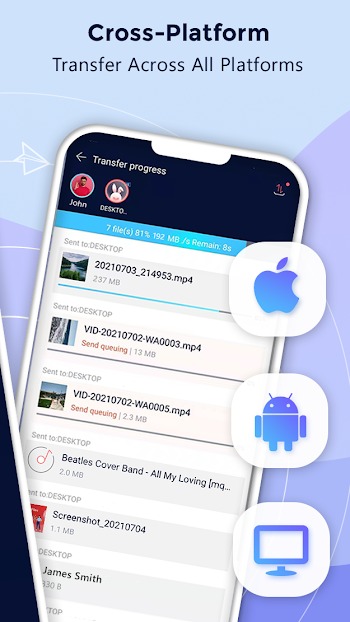
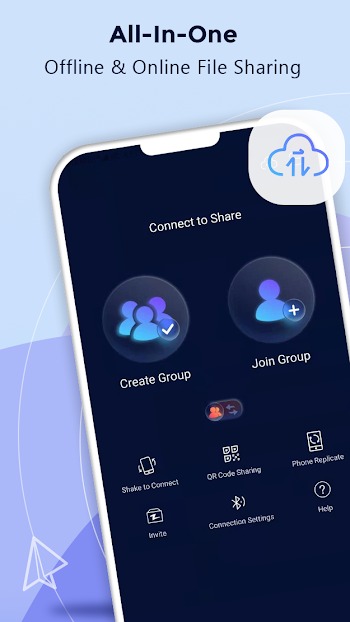
The app focuses on local and cross-platform sharing. It works across Android, iPhone, Windows PC, and Mac, which makes it handy for mixed-device households, classrooms, and small teams. You can connect devices through group sharing, QR code pairing, shake connection, or a nearby search tool. That gives users a few ways to get started, which is helpful when one method acts fussy.
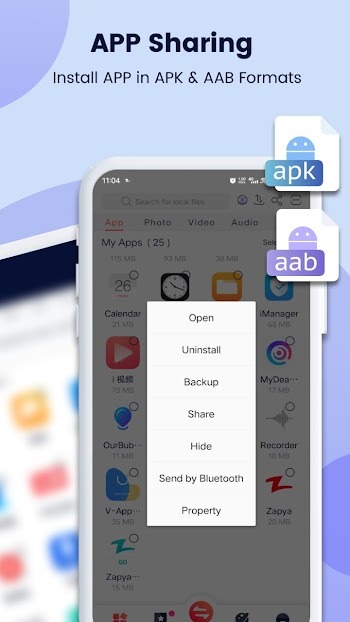
Zapya also includes tools that go beyond basic file sending. It can help with phone-to-phone data transfer when switching to a new device, and it supports app sharing for APK and AAB files. Some versions also work with USB drives, so users can move files between external storage and a phone in a more direct way. For people who pass around big batches of media, that can save a lot of tapping and waiting.
One of the main reasons people pick Zapya is convenience. Offline transfer means you do not need mobile data for every file, which matters when sharing videos or large folders. The interface is also built around quick actions, so it suits users who want a fast tool instead of a long setup process. It is especially useful during travel, at school, in offices, or anytime two devices are sitting close together and one person says, “Can you send that to me real quick?”
There are a few trade-offs to keep in mind. Features that involve app installation or broad file access may make some users pause, especially if they are careful about permissions. Cross-device performance can also depend on both devices being set up properly, so the process may feel smooth one day and slightly annoying the next. People who only use cloud storage might also find some tools unnecessary.
This overview is written for readers who want a clear look at what Zapya does before installing it. Based on the reference details provided, Zapya fits best for users who regularly share files offline, move data to a new phone, or send apps and folders across different platforms. It makes the most sense for practical, everyday transfer jobs, not for fancy extras, and that is exactly why many people keep it around.
FAQs Zapya
What is Zapya used for?
+
Zapya is used to transfer files like photos, videos, apps, documents, and folders between phones, tablets, and computers, often without using mobile data.
Can Zapya transfer files without internet?
+
Yes. Zapya supports offline file sharing, so you can send files nearby without relying on Wi-Fi internet or mobile data.
Does Zapya work between Android and iPhone?
+
Yes. Zapya supports sharing between Android and iPhone, and it is designed to make cross-platform transfers easier with simple connection options.
Can Zapya help when moving to a new phone?
+
Yes. Zapya includes phone replication and transfer tools that help move content and data from an old device to a new one.
Is Zapya good for sending large files?
+
Yes. Zapya is useful for large files and full folders because it is built for bulk transfers and quick device-to-device sharing.
Discover More Interesting Apps
-

Bubble Screen Translate
v4.5.1
71.62 Mb
Updated -
Panda Mouse Pro
v12.8
13.00 Mb
Updated -
Mod
Panda Gamepad Pro
v12.8
13.00 Mb
Updated -
H4X Macro Game Booster Pro
v2.6.6
14.00 Mb
Updated -
Mod
Download Hub Movies
v7.3.3
49.34 Mb
Updated -
Mod
Bengali Calendar (India)
v4.0.04
27.05 Mb
Updated -
Mod
Kimi
v3.1.0
67.13 Mb
Updated -
Mod
SHAREit
v6.27.38_ww
70.80 Mb
Updated -
Mod
PigeonCast
v3.6.3
63.01 Mb
Updated -
Poshan Tracker
v25.3.9
210.02 Mb
Updated










Share Your Thoughts